Lanewise

A free Git client with a visual commit graph.

Lanewise is a free, open-source desktop Git client for Windows and macOS. It draws your history as a Commit graph, one lane per line of history, and walks you through merge conflicts with a three-way view and, if you want them, AI Suggestions from the Model Provider you choose, with your own API key.

What it does

  • A Commit graph that keeps up

    Branches, tags and remotes are labelled on the commits they point at, and lanes never move sideways, even on a repository of more than 100,000 commits.

  • Quick on a large history

    git/git's first screen in168 ms

    Its Commit graph, drawn from a commit-graph file, as Lanewise's benchmark measured it.

  • Your daily Git

    Stage files or single hunks, commit and amend, and right-click a stash in the graph to apply, pop or drop it. Clone, fetch, pull and push through the Git you already have.

  • Yours, and nobody else's

    No account, no telemetry and no subscription.

    Your API keys stay in your operating system's credential store, and Lanewise is MIT licensed.

  • AI Suggestions, never applied for you

    Ask Claude, Gemini, OpenAI, xAI, Meta or a local model for a Suggestion, with its explanation and a Confidence. Nothing goes into your file until you accept it.

  • Sign-in that works

    Through Git Credential Manager.

    GitHub.com and GitHub Enterprise Server, including organizations with SAML SSO. When a sign-in fails, Lanewise says why and how to fix it.

  • Diffs and conflicts, side by side

    See a file as it was beside the file as it is, and a conflict's Base, Ours and Theirs together, editing the Resolution one Conflict Hunk at a time.

Screenshots
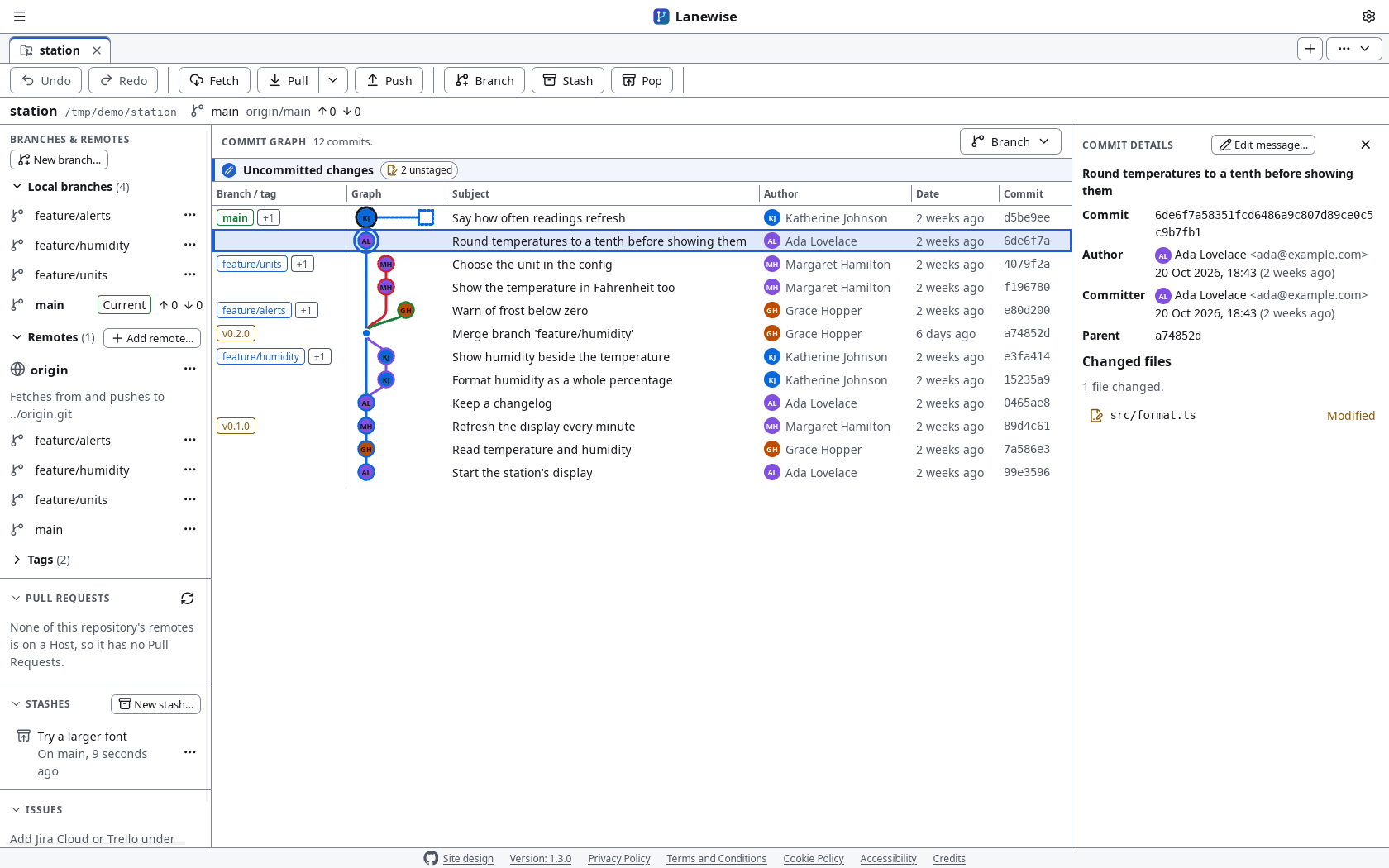
Lanewise's Repository page in the light Theme, laid out as GitKraken's is. Under the Tabs, the Toolbar's row of buttons: Undo, Redo, Fetch, Pull, Push, Branch, Stash and Pop, and under it the repository, station, on main, level with origin/main. On the left, Branches & remotes lists the local branches feature/alerts, feature/humidity, feature/units and main, the current branch, the remote origin with its branches, and its two tags, closed; under it Pull requests, Stashes, with one stash, Try a larger font, and Issues. Local branches, Remotes, Tags, Pull requests, Stashes and Issues are each a section that opens and closes by its heading. In the middle, above the Commit graph, its Working tree row stands out in the accent, saying Uncommitted changes, with 2 unstaged. The Commit graph draws 12 commits in coloured lanes, each with its author's initials, with a column of branch and tag Labels at its left, among them the tags v0.1.0 and v0.2.0, feature/humidity merged back into main, feature/units and feature/alerts open, and the stash as a dotted square beside the commit it was made on. The commit Round temperatures to a tenth before showing them is selected, and on the right Commit details shows its author, committer, parent and the one file it changed.
The Repository page: the Toolbar's buttons, branches, tags and stashes, the Commit graph, and a commit's details.
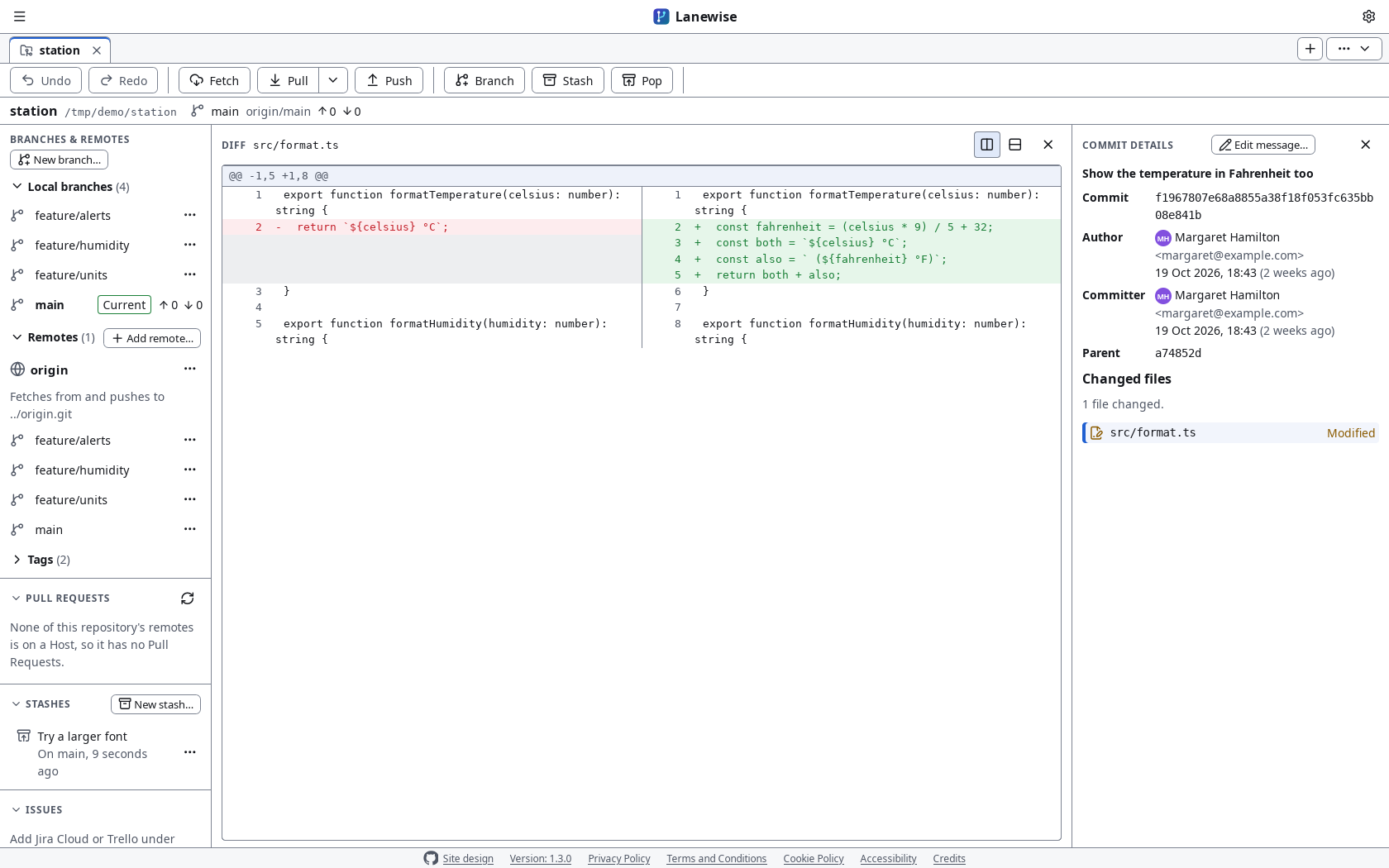
Lanewise's Repository page in the light Theme with a file's diff in the Commit graph's place, under the Toolbar's row of buttons: src/format.ts as the commit Show the temperature in Fahrenheit too changed it, split side by side, the file as it was on the left, with its removed line in red and marked with a minus, and as it is on the right, with its four added lines in green and marked with a plus, each numbered as it is in its own file. On the right, Commit details shows the commit, by Margaret Hamilton, and the file.
A diff, split: the file as it was beside the file as it is.
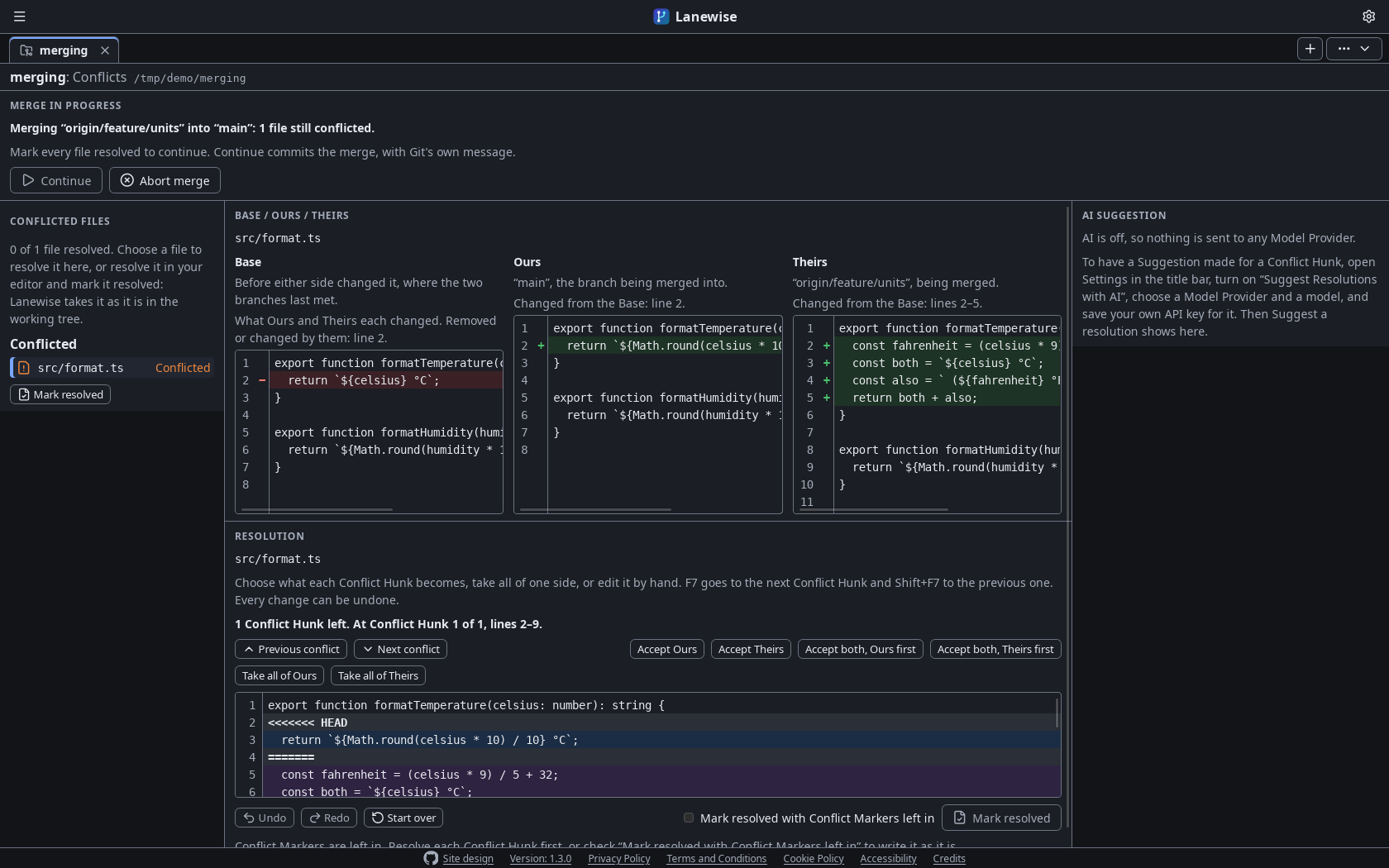
Lanewise's Conflicts page in the dark Theme, during a merge of origin/feature/units into main. A bar along the top says the merge is in progress with one file still conflicted, with Continue and Abort merge. On the left, Conflicted files lists src/format.ts, conflicted, with Mark resolved. In the middle, the Three-way view shows that file's Base, Ours and Theirs side by side, coloured as a diff is: the Base's line they changed in red, marked with a minus, and the lines Ours and Theirs changed in green, each marked with a plus, and under it the Resolution, at its one Conflict Hunk, with Accept Ours, Accept Theirs, and Accept both, Ours first or Theirs first. On the right, the AI Suggestion Widget says AI is off until it is turned on in Settings.
The Conflicts page: a merge's Base, Ours and Theirs side by side, and the Resolution.

Download

Lanewise needs Git (opens in a new tab) 2.40 or later, and says so when it starts if it's missing.

  • macOS 14 or later, on Apple Silicon or Intel: open the disk image and drag Lanewise to Applications. It is signed ad hoc and not notarized by Apple, so the first time you open it, choose Open Anyway in System Settings, under Privacy & Security.
  • Windows 10 22H2 or later, or Windows 11, on x64: run the installer, which needs no administrator rights. It isn't signed yet, so if SmartScreen stops it, choose More info, then Run anyway.

Each Release's notes say more about installing it. See every Release (opens in a new tab).

Documentation

The README says how to install Lanewise, build it from source and run its tests, and links to the product requirements and the decisions behind it.

Read the documentation (opens in a new tab)